AOX Product
DESIGNFROM SKETCH TO SHAPE.
Turn a drawing into a 3D model, or watch the air move around a profile as you draw it.
Start from a drawing.
Two ways to begin before any CAD exists. Both run on cloud GPUs and start from your own sketch.
 Preview01
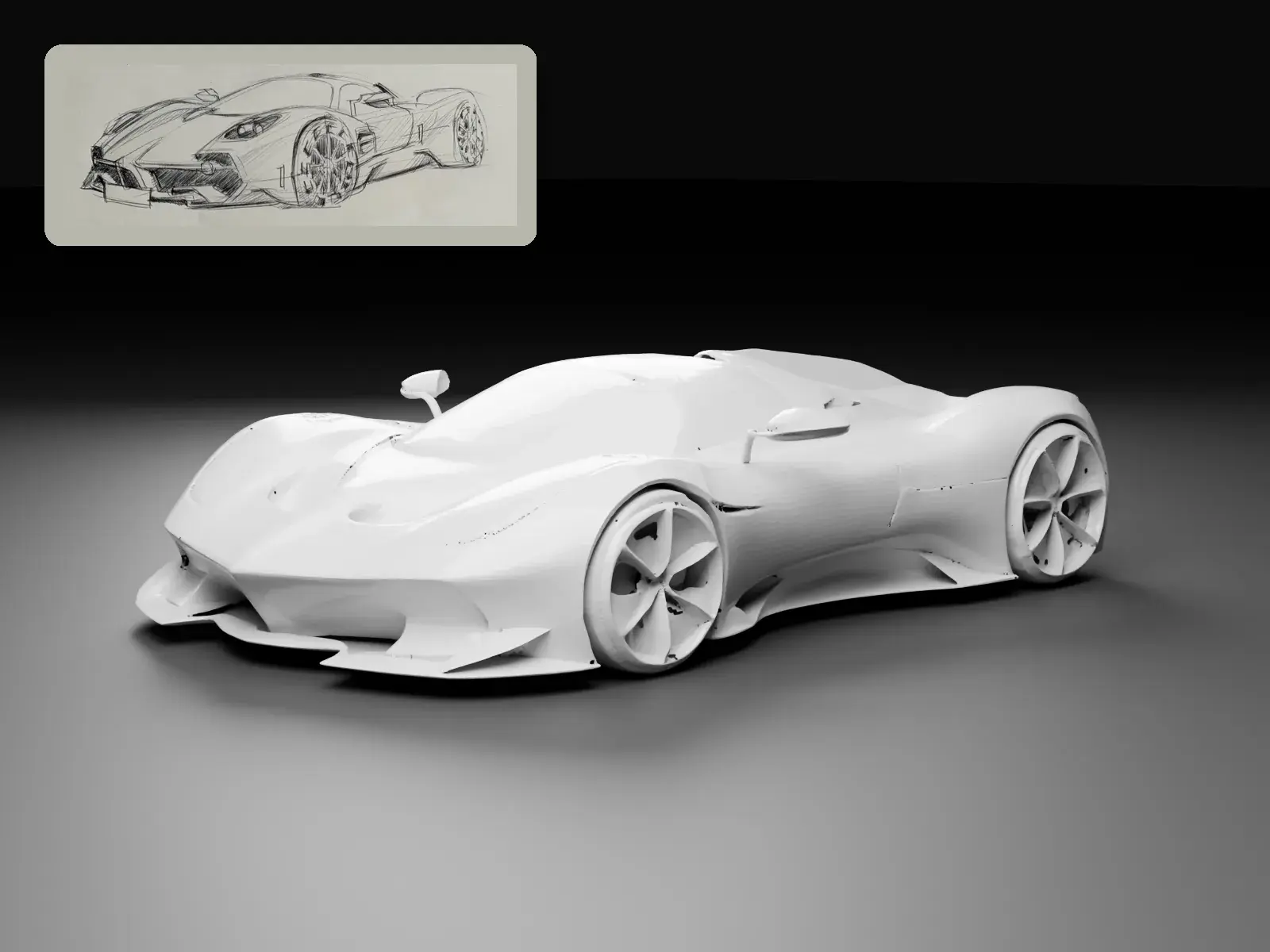
Sketch to 3D
Turn one drawing into a 3D model.
Draw on the pad or upload a single image. A cloud GPU turns it into a 3D model you can inspect and download.
- Draw on a 4:3 pad or upload a PNG, JPEG, or WebP up to 8 MB
- CFD model for a closed mesh, or Reality model for visual detail
- Download the model, an STL, and the preview, with faces, dimensions, and frontal area
 Preview02
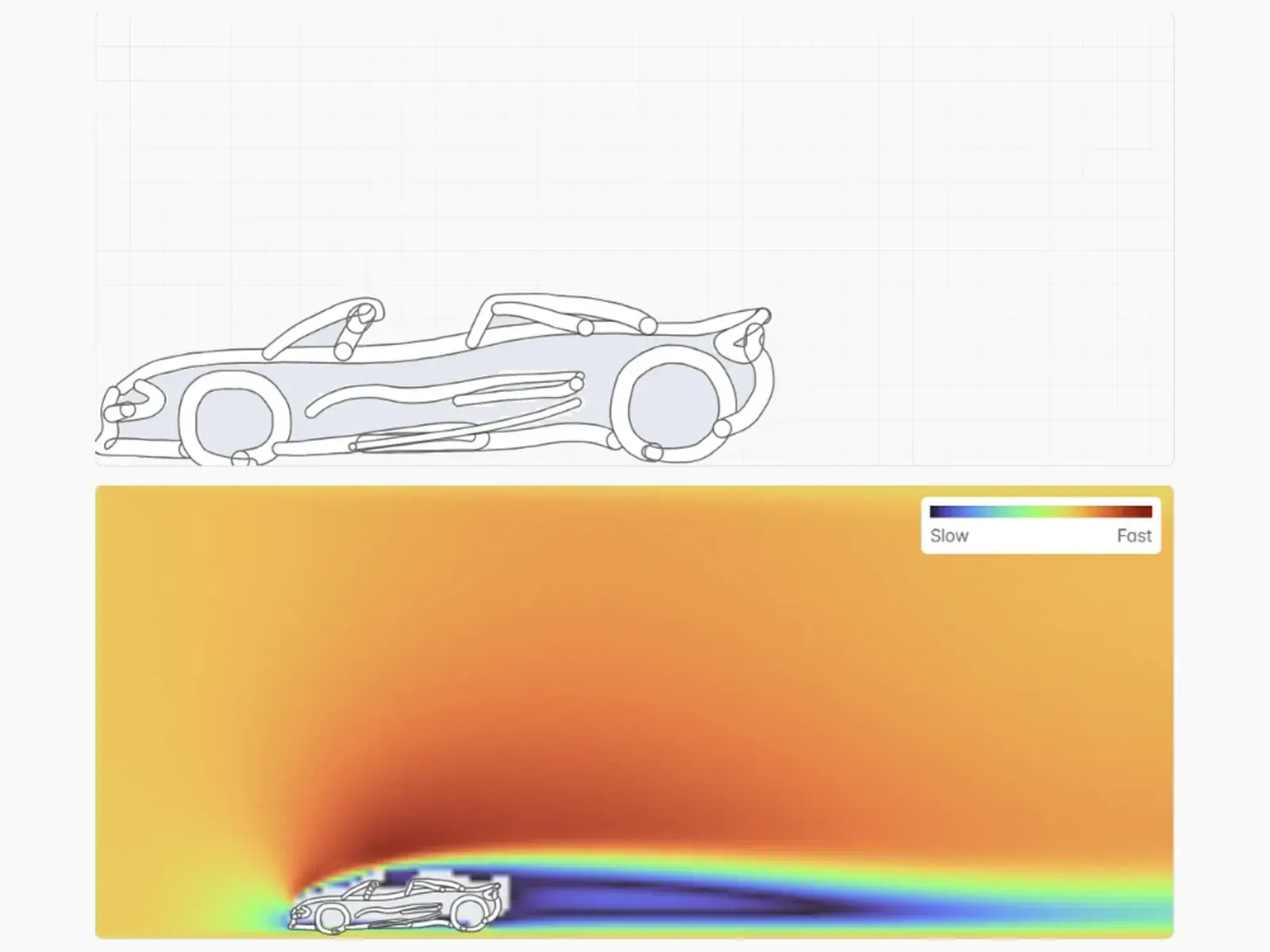
Sketch & Flow
See the air move as you draw.
Sketch a car side profile on a gridded board. Every edit starts a 2D flow run on a GPU, and the airflow streams back into a wind tunnel view.
- Live velocity field from slow to fast
- Replay any finished run from the runs list
- Loft the profile into a 3D body in the browser and download it as STL
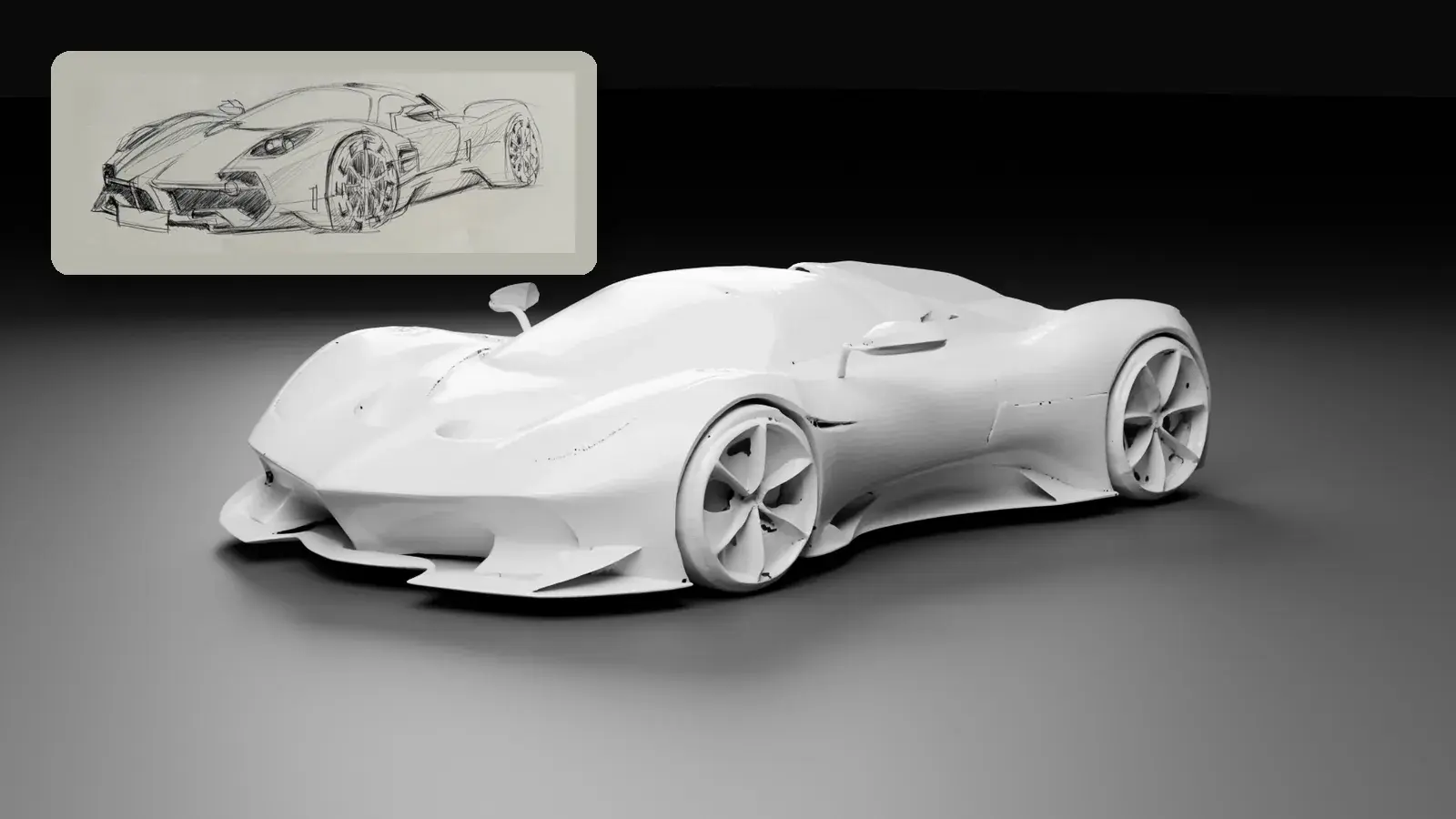
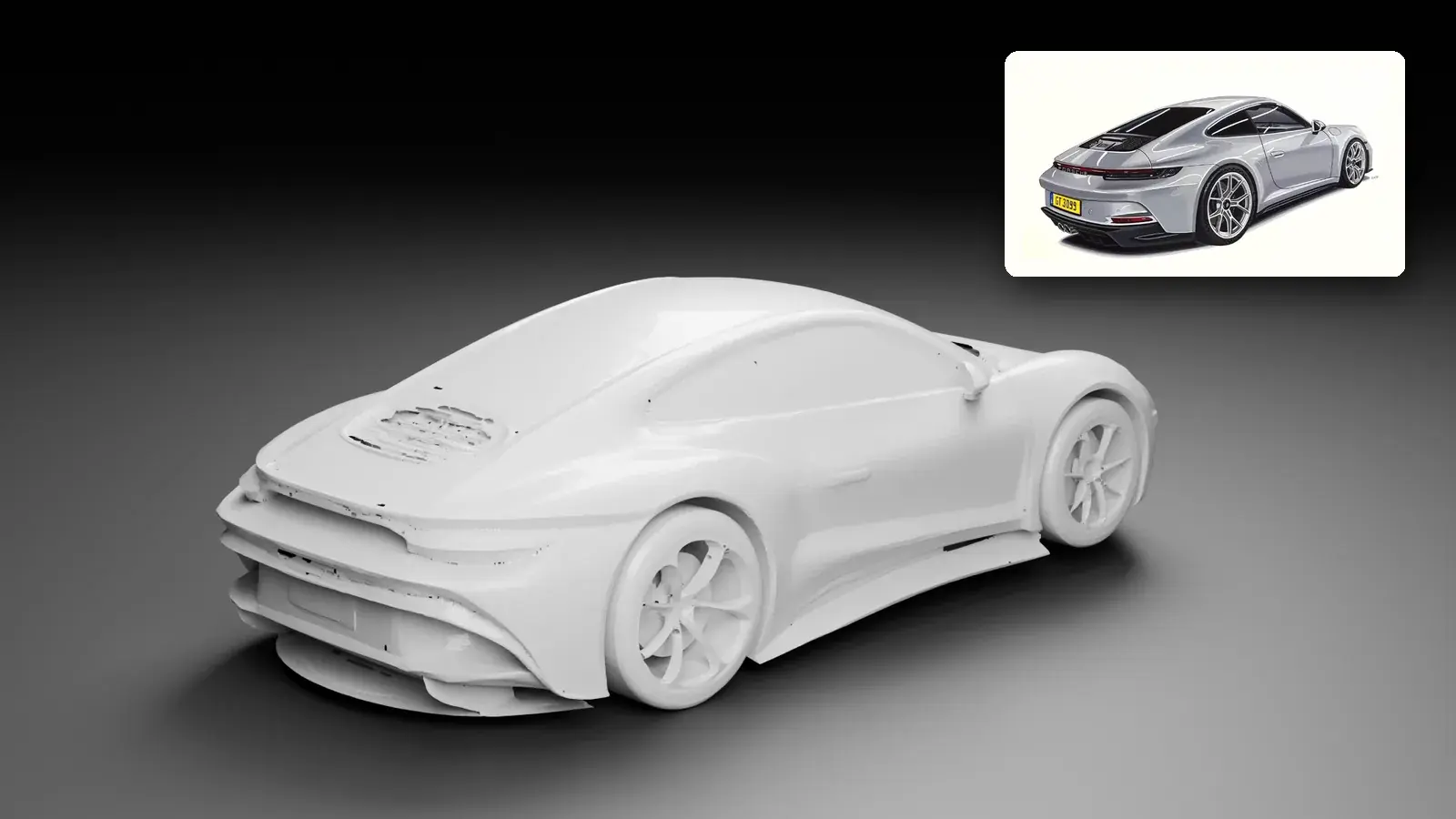
One drawing in. A 3D model out.
Each model below came from the single drawing pinned beside it. Shown in clay, the shape is the model itself, ready to turn, measure, and download.