GEOMETRYREADY FOR CFD.
Clean, convert, align, and lighten your models before you simulate.
Get the model right first.
Four tools for the step before simulation: repair a vehicle model, rebuild a mesh as CAD surfaces, square up a scan, and cut a heavy mesh down to size.
 01
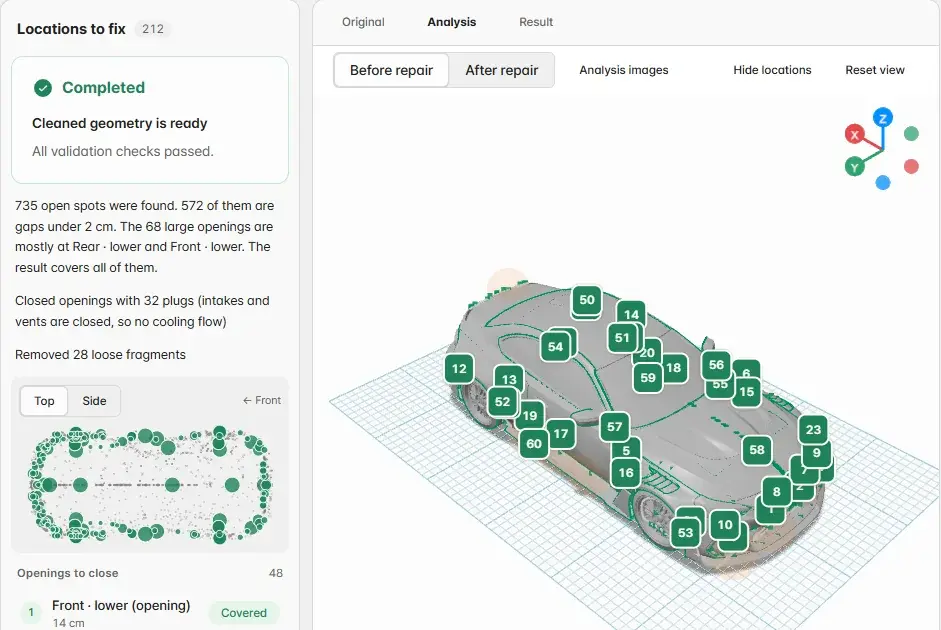
Geometry Cleaning
Find the openings. Decide how to close them.
Upload the STEP or STL parts of one vehicle. AOX checks open edges, wall thickness, the floor, and openings that would let air leak inside, then lists each location for you to decide.
- Close an opening flat or remove loose fragments, one location at a time
- Before and after views, model checks, and a leak check
- Download the cleaned STL with its reports
 02
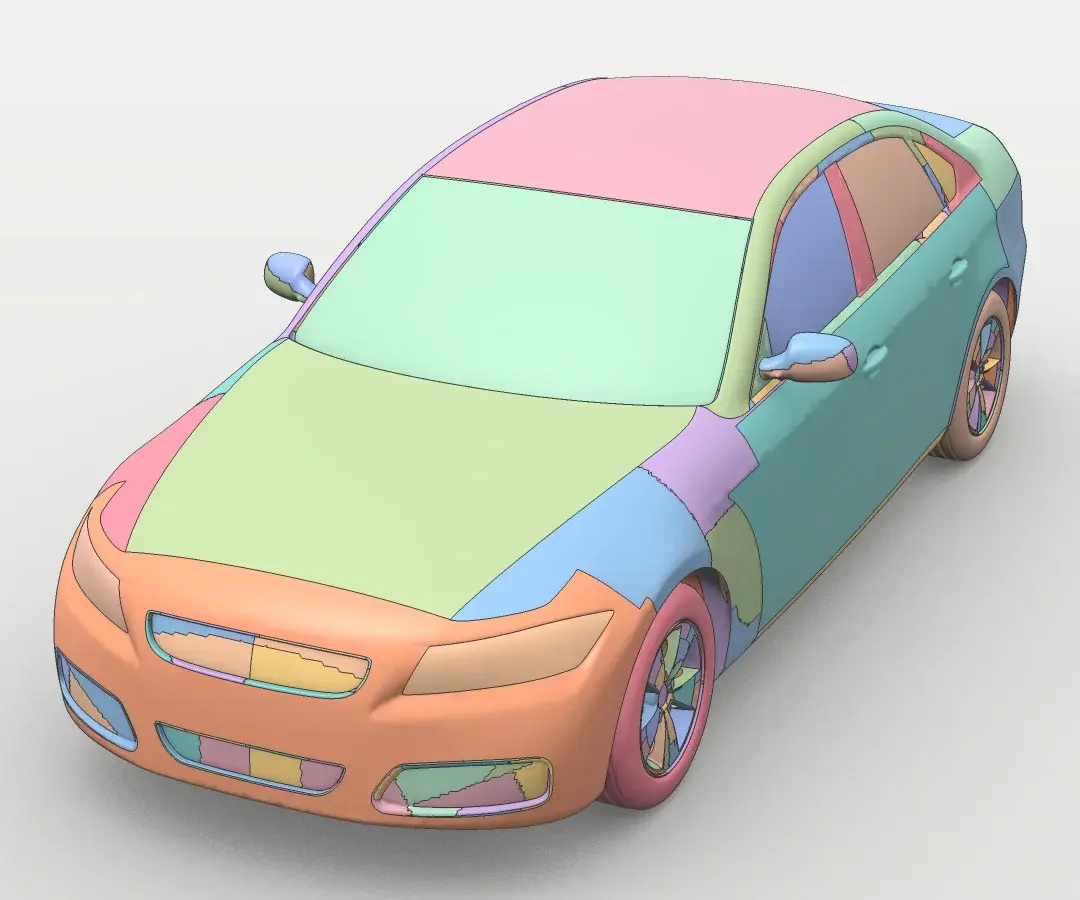
STL to STEP
Rebuild a mesh as CAD surfaces.
Drop in an STL. AOX suggests the unit, the shape type, and a tolerance, then rebuilds the mesh as NURBS surface patches in a STEP file.
- One STL up to 200 MB, tolerance from 0.1 to 5 mm
- Smooth panels for vehicles and aero parts; exact planes, cylinders, and holes for mechanical parts
- Check the deviation and CAD validity, then download STEP or compressed STEP
 03
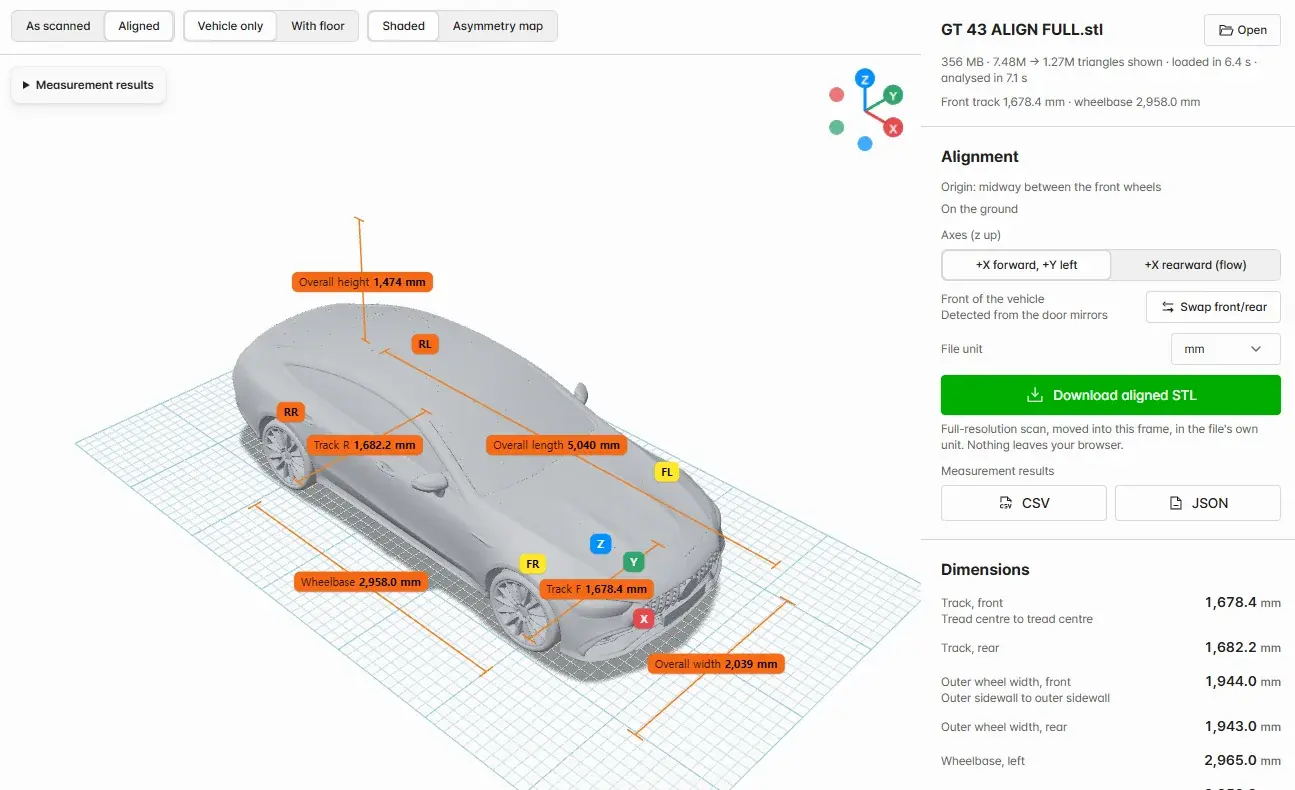
Scan Align
Square up a vehicle scan.
Open a scanned vehicle STL. AOX finds the floor, the four wheels, and the front, then places the scan on the ground in a vehicle frame with the tilt removed.
- Track, wheelbase, overhangs, wheel centres, roll, and pitch
- Left and right symmetry with an asymmetry heatmap
- Runs in your browser; the file is not uploaded
 04
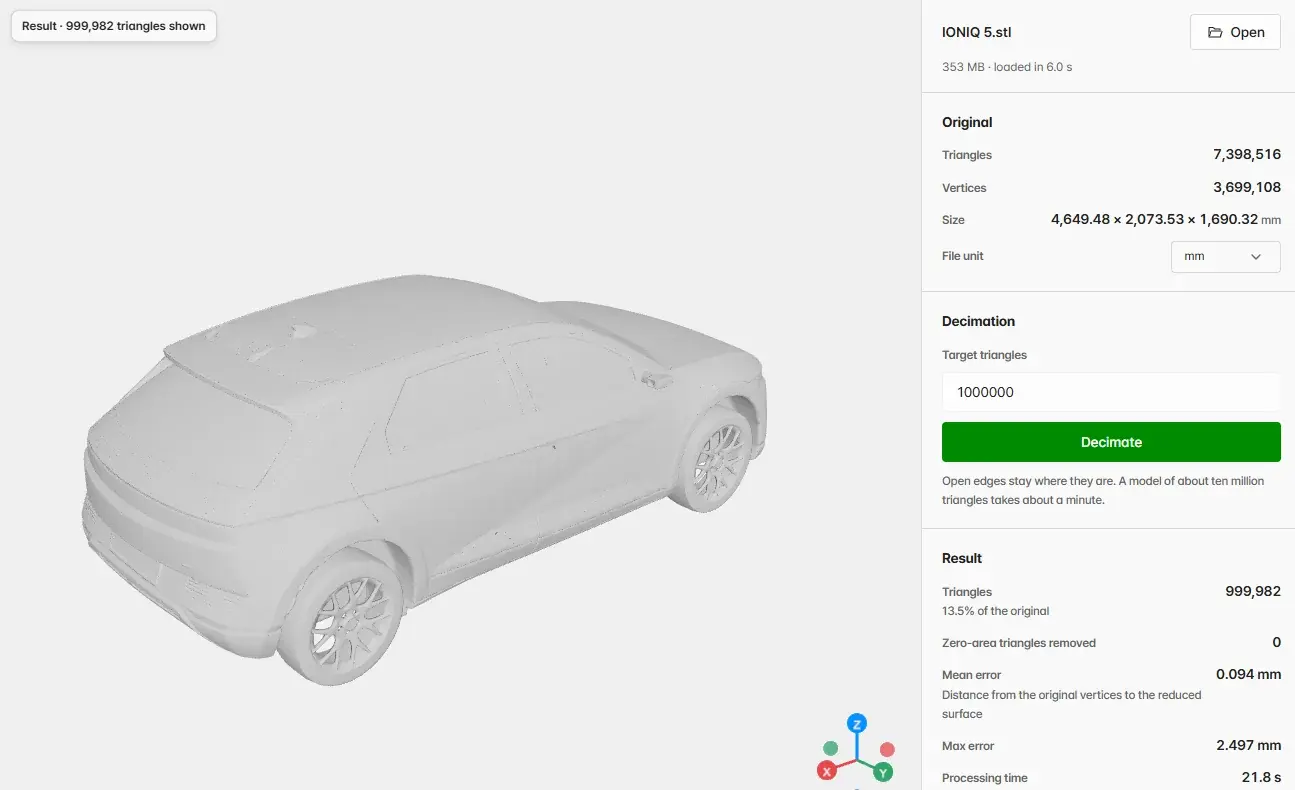
Geometry Decimation
Cut a heavy mesh down to size.
Set a target triangle count. AOX reduces the mesh with open edges kept in place, then measures how far the result moved from the original.
- About ten million triangles in about a minute
- Mean and maximum shape error against the original
- Runs in your browser; download a binary STL in the original unit